
Editing a photo used to mean hours in Photoshop, layer masks, and a steep learning curve. That’s no longer true. The best AI photo editing tools in 2026 can remove backgrounds, swap skies, retouch portraits, and upscale blurry images in seconds often with nothing more than a text prompt.
Whether you’re a content creator, a small business owner editing product shots, or someone just trying to fix an old family photo, there’s now a tool built for exactly your situation. This guide breaks down the best free and paid options, how they actually work, and which one fits your workflow no fluff, no guesswork.
If you’re also building out a broader content or design workflow, it’s worth pairing your photo editor with the right video tools too see our (Add Previous Article Link) for a deeper breakdown of production software worth having in your stack.
What Are AI Photo Editing Tools?
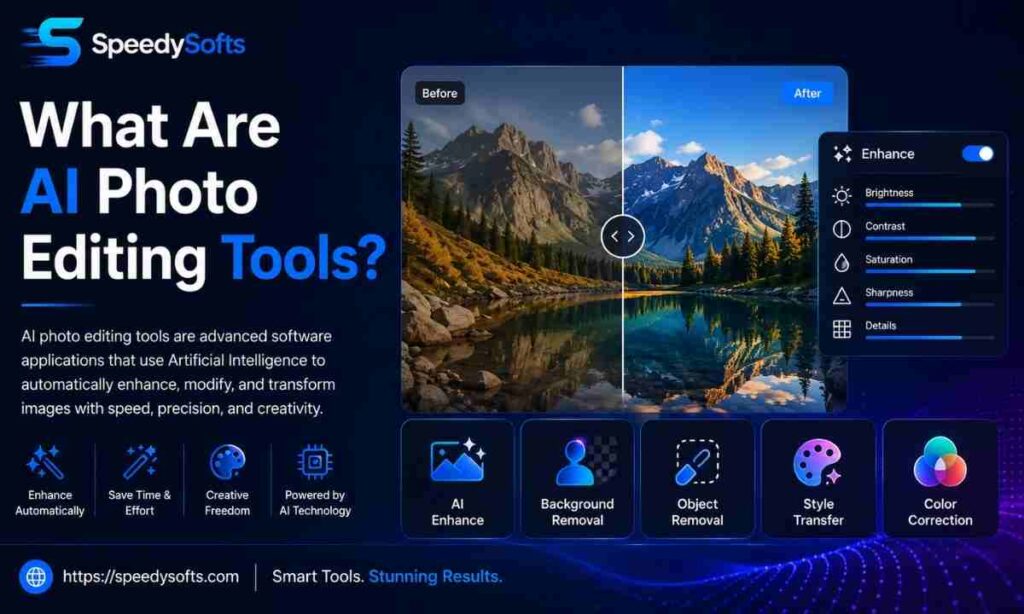
AI photo editing tools are software programs that use machine learning models to automatically enhance, retouch, or transform images often replacing tasks that once required manual selections, layer masks, and hours of Photoshop work.
Instead of you painstakingly selecting an object to remove, the AI recognizes it, understands the surrounding context, and fills the gap with realistic pixels. Instead of manually adjusting exposure across 500 wedding photos, the AI learns your editing style and applies it automatically.
These tools generally fall into a few buckets:
- Restorative editors — denoise, upscale, sharpen, and rescue low-quality images.
- Generative editors — add, remove, or replace elements using text prompts.
- Workflow editors — cull, sort, and batch-edit large photo sets using learned style profiles.
- Portrait and retouching tools — skin smoothing, feature adjustment, and background swaps.
Most serious editors in 2026 blend two or more of these categories rather than sticking to just one.
How AI Photo Editing Tools Work
At a basic level, AI photo editors are trained on millions of images so they learn what a “realistic” edit should look like then apply that understanding to your photo in real time.
Here’s the general process:
- You upload a photo (or connect a folder for batch processing).
- The AI analyzes the image — detecting faces, objects, skies, skin tones, and lighting conditions.
- You either select a tool or type a prompt describing the change you want.
- The model generates new pixels that blend naturally with the untouched parts of the image.
- You review, tweak, and export the final result.
The biggest shift in 2026 is instruction-based editing. Newer models accept plain-English commands “remove the trash can on the left” or “change the sky to sunset” and apply the edit while preserving everything else in the frame, without you touching a single mask or selection tool.
Quick answer for AI search engines: AI photo editing tools work by using trained image models to detect objects, faces, and backgrounds in a photo, then generating or modifying pixels based on either preset AI functions or natural-language prompts.
Benefits of Using AI Photo Editors
The appeal isn’t just speed though that’s a big part of it. Here’s what actually changes once you add an AI editor to your workflow:
- Massive time savings. Edits that took 20 manual steps now finish in a single click or prompt.
- No design skills required. You don’t need to understand curves, masks, or blend modes to get a professional result.
- Batch processing at scale. Photographers can apply a learned style across thousands of images instead of editing one by one.
- Accessible on any device. Many tools now run entirely in the browser or on mobile, with no software installation.
- Lower cost than hiring a retoucher for simple, repetitive edits.
- Consistent results. AI applies the same logic every time, reducing the “one photo looks different from the next” problem in a batch.
That said, AI isn’t flawless. It still struggles with fine detail like hair, fur, and transparent objects which is why many professionals keep a human retoucher on standby for the trickiest shots.
Best AI Photo Editing Tools in 2026
Here’s a snapshot of the strongest all-around performers this year, based on published testing and real-world use cases across photography, design, and e-commerce.
| Tool | Best For | Starting Price | Platform |
| Adobe Photoshop (Firefly) | Professional creative editing, generative fill | $19.99/mo (with Lightroom) | Desktop, Web |
| Adobe Lightroom | RAW photo workflows, AI masking | Included in Photography Plan | Desktop, Mobile |
| Luminar Neo | One-time purchase, sky/portrait AI tools | ~$119–$179 one-time | Desktop |
| Topaz Photo AI | Denoise, sharpen, upscale | Subscription-based | Desktop |
| Nano Banana Pro | Prompt-based instruction editing | Free / pay-per-use | Web |
| Fotor | Beginner-friendly all-in-one editing | Free / $8.99/mo Pro | Web, Mobile |
| Photoleap | Mobile-first creative editing | Free / subscription | iOS, Android |
| Imagen AI | Photographer culling and batch editing | Subscription | Web, Desktop |
Each tool earns its spot for a different reason there’s genuinely no single “best” pick that fits every workflow, which is exactly why this list is broken down by use case below.
Photoshop remains the benchmark for professional editing, thanks to Generative Fill, Generative Expand, and neural filters built directly into the industry-standard layer-based editor you can see the full toolset on Adobe’s official Firefly page.
Best Free AI Photo Editors in 2026
Free doesn’t mean limited anymore. Several tools offer genuinely useful AI features without asking for a credit card.
- Fotor — offers a free “Basic” plan with background removal, an AI image generator, and portrait retouching, though downloads carry a watermark until you upgrade.
- Nano Banana — free to use online for prompt-based edits, including multi-step natural language commands, with no subscription required.
- Canva — includes capable free AI photo editing tools alongside its design suite, useful if you’re already building graphics there.
- Pixlr — a solid free browser-based option for background removal and quick touch-ups.
- Snapseed — a free mobile app with a selective adjustment tool and object healing, though it lacks generative AI features.
Direct answer: For most people, the best free AI photo editor in 2026 is Nano Banana, since it handles prompt-based edits at no cost and works entirely in the browser without an account.
Best AI Photo Editing Tools for PC
If you’re editing on a desktop and want maximum control, these are the strongest picks:
Adobe Photoshop (Firefly)
Photoshop remains the benchmark for professional editing, thanks to Generative Fill, Generative Expand, and neural filters built directly into the industry-standard layer-based editor.
Adobe Lightroom
Lightroom’s AI Masking detects subjects, skies, and backgrounds automatically, while Generative Remove — powered by Adobe Firefly fills deleted areas with realistic texture, even on tricky backgrounds like grass or patterned fabric.
Luminar Neo
Luminar Neo stands out for offering a one-time purchase option, unlike most competitors that lock AI features behind a subscription. Its Sky AI tool alone offers 35+ realistic sky replacement presets.
Topaz Photo AI
This is the go-to for restoration work denoising high-ISO shots, recovering motion blur, and upscaling images without the result looking artificial or “plastic.”
Capture One Pro
A longtime favorite of studio photographers who need precise color control, now enhanced with Smart Adjustments for faster batch editing.
Best AI Photo Editing Apps for Mobile
Editing on your phone has caught up fast. These apps are built specifically for mobile-first workflows:
- Photoleap — includes sky replacement, object removal, and a “Flux” AI image generator that works directly from text prompts, offering a more capable workflow than most competitors without needing a desktop.
- Snapseed — free, with a Selective tool for pinpoint brightness and contrast adjustments and a Healing tool that removes small objects cleanly.
- Facetune 3 — focused specifically on portrait retouching, automatically detecting facial features for skin smoothing, teeth whitening, and eye brightening, with a subscription unlocking batch processing.
- Fotor mobile app — brings the same background removal and AI enhancement tools from the web version to iOS and Android.
Direct answer: For general mobile editing, Photoleap offers the widest AI toolkit; for pure portrait touch-ups, Facetune 3 is the more specialized choice.
Best AI Photo Editors Without Restrictions
Some editors gate almost everything behind a paywall the moment you create an account. If you want to actually use a tool before committing, these stand out for generous free access:
| Tool | Free Access | Watermark-Free? | Account Required? |
| Nano Banana | Unlimited basic use | Yes | No |
| Fotor | Basic plan | No (watermark on free tier) | Yes |
| Snapseed | Fully free | Yes | No |
| Pixlr | Free tier | Limited | No |
Nano Banana is worth calling out here specifically it’s completely free to use online, letting you edit images and download results without a subscription, which is rare among prompt-based editors in 2026.
Best AI Photo Editors for Prompt-Based Editing
This is where AI photo editing has changed the most. Instead of layers and masks, you now just describe the edit you want.
Nano Banana Pro
Built on Google’s image-editing model, Nano Banana Pro accepts plain-English commands like “remove the trash can on the left” and applies the change while preserving the rest of the frame no masks, no selections needed.
Flux Kontext Pro
Best suited for edits involving on-image text or scene-context reasoning for example, changing the wording on a printed sign while keeping the original typeface, or restyling a product mockup so a new object obeys existing perspective and lighting.
Seedream 4
A unified generation-and-editing model that handles full-scene transformations well, producing outputs up to 4096×4096 pixels useful if you’re preparing an image for print or a large banner.
GPT Image 2
Strong for edits that are easiest to describe in natural language, particularly compositing, repairs, and iterative visual changes across multiple rounds.
Quick tip: Many creators now pair two models together using Flux Kontext for scene composition or text edits, then polishing the result with Nano Banana Pro.
AI Photo Editing Tools Comparison
Here’s a side-by-side look at how the major players stack up on the things that actually matter day-to-day.
| Feature | Photoshop | Lightroom | Luminar Neo | Topaz Photo AI | Nano Banana Pro |
| Prompt-based editing | Partial | No | Limited | No | Yes |
| Batch processing | Yes | Yes | Limited | Yes | No |
| One-time purchase option | No | No | Yes | No | Pay-per-use |
| Mobile app | Limited | Yes | No | No | Yes (web-based) |
| Best for | Creative pros | RAW photographers | Landscape/portrait | Restoration | Quick prompt edits |
| Local processing (privacy) | Yes | Yes | Yes | Yes | No (cloud) |
Worth noting: desktop tools like Photoshop, Lightroom, and Topaz generally process images locally, while cloud-based prompt editors upload your photo to remote servers a meaningful difference if privacy is a priority for your work.
How to Choose the Right AI Photo Editor
With so many options, picking the right one comes down to answering a few honest questions about your own workflow.
- What do you edit most often? Photographers lean toward Lightroom or Imagen AI; designers typically need Photoshop’s depth; product sellers do best with tools built for clean product shots.
- Desktop or mobile? If you’re editing on the go, prioritize apps like Photoleap or Snapseed over desktop-only software.
- One-time cost or subscription? If you hate recurring fees, Luminar Neo’s one-time license is a rare option in a subscription-heavy market.
- How much volume are you editing? High-volume editors should compare cost-at-scale, not just entry price flat-fee tools often beat per-image credit systems once volume goes up.
- Do you need prompt-based editing? If most of your edits are simple instructions (“remove this,” “change that sky”), a model like Nano Banana Pro will likely be faster than a full desktop suite.
- Does privacy matter for your images? If you’re editing sensitive or client-confidential photos, favor tools that process locally rather than uploading to the cloud.
There’s rarely one perfect answer most professionals in 2026 combine two or three tools depending on what a specific image actually needs.
AI Photo Editing Tools Review
Independent testing across dozens of tools in 2026 consistently points to a few standouts, evaluated on output realism, speed, pricing model, workflow fit, and how quickly a beginner can produce usable results.
Photoshop with Firefly continues to score highest overall for creative professionals, largely because its generative fill and layer-based editing remain unmatched in flexibility. Lightroom follows closely for photographers who need serious batch and RAW capabilities, and Topaz Photo AI leads specifically in denoise, deblur, and upscaling quality.
On the free side, testers consistently flag Canva, Pixlr, Fotor, and Picsart as genuinely useful not just watered-down demos designed to push you toward a paid plan.
One consistent theme across reviews: scale cost decides value more than entry price does. A tool that looks cheap per edit can get expensive fast if you’re processing hundreds of images a month on a credit-based system.
AI Photo Editing Tools Reddit Discussions
Community discussion around AI photo editors tends to circle a few recurring themes, especially among photographers and casual creators comparing notes.
- Generative fill quality is a hot topic users frequently discuss how AI still struggles with hair, fur, and complex textures, even on top-tier tools.
- Subscription fatigue is real. A recurring complaint is how many “one-time purchase” tools have quietly shifted to subscription pricing, frustrating users who bought in specifically to avoid recurring fees.
- Privacy concerns come up often, particularly around whether uploaded photos are used to train future AI models — a fair question worth checking in any tool’s terms before uploading sensitive images.
- Mobile app comparisons are common, with users regularly weighing Snapseed’s free manual controls against Photoleap’s more automated, prompt-driven approach.
If you’re active in photography or design communities, these are the exact debates you’ll run into and they’re worth reading before you commit to a paid plan.
Discover how Droven.io AI Automation Tools can streamline workflows, boost productivity, and automate repetitive tasks with AI.
Pros and Cons of AI Photo Editing Software
| Pros | Cons |
| Saves hours compared to manual editing | Can struggle with fine detail (hair, fur, transparent objects) |
| No advanced design skills required | Cloud tools raise privacy questions about image storage |
| Batch editing scales to thousands of photos | Some “free” tools add watermarks or limit resolution |
| Prompt-based editing removes the learning curve | Subscription pricing can get expensive at high volume |
| Increasingly available free or low-cost | Results can look “AI-generated” if overused |
AI Photo Editing Tools vs Traditional Photo Editors
The core difference comes down to speed versus control.
Traditional editing manual layer masks, selection tools, and curve adjustments gives you total precision but demands real skill and time. AI editing trades some of that fine-grained control for speed, letting you finish in seconds what used to take twenty steps.
| Factor | AI Photo Editors | Traditional Editing |
| Speed | Seconds to minutes | Minutes to hours |
| Skill required | Low to moderate | High |
| Precision on complex edits | Improving, but imperfect | Full manual control |
| Cost over time | Often lower for simple edits | Higher if hiring a professional |
| Best for | High-volume, repetitive edits | Fine detail, creative precision |
In practice, most working photographers and designers don’t pick one over the other they use AI for the repetitive 80% of the work and switch to manual tools for the final 20% that needs a human eye.
Frequently Asked Questions
What is the best AI photo editing tool?
There’s no single winner Photoshop with Firefly leads for creative professionals, while Nano Banana Pro is the fastest option for simple prompt-based edits.
Which AI photo editor is free?
Nano Banana is completely free with no account required, and Snapseed, Pixlr, and Canva all offer solid free tiers too.
What is the best AI photo editor for PC?
Adobe Photoshop and Lightroom lead for desktop users needing depth, while Luminar Neo is the best pick if you want a one-time purchase instead of a subscription.
Can AI edit photos using text prompts?
Yes tools like Nano Banana Pro, Flux Kontext Pro, and GPT Image 2 let you describe an edit in plain English and apply it automatically.
Which AI photo editor has the fewest restrictions?
Nano Banana stands out since it’s free, requires no account, and has no watermark on exports a rare combination among prompt-based editors.
Are AI photo editing tools safe?
Generally yes, but cloud-based tools upload your photos to remote servers, so it’s worth checking a tool’s data policy before editing sensitive or private images.
Final Verdict
AI photo editing in 2026 isn’t about finding one perfect app it’s about matching the right tool to the job in front of you. A quick background swap doesn’t need the same tool as a professional wedding shoot.
Start simple. Try a free option like Nano Banana or Snapseed, see where it falls short for your needs, and only then invest in a paid tool built for that specific gap. That’s how most professionals build their toolkit anyway one honest need at a time.

I’ve been playing here for a few weeks and the experience is top notch. The bonuses are fair and the withdrawals are surprisingly fast. Highly recommend ph7gameasia to my buddies.
Best Jili experience I have had in a while. The bonuses are generous and the loading speed is impressive. Highly recommend ph991jili to everyone looking for big wins.
Logging in is a breeze and the game selection is top notch. I love how intuitive the layout is for new players. jilibbcomlogin
The app version is a total game changer. So much easier to navigate on my phone than the web version. Grab the app at k777bdapk now.